New to Farm Valley? Start with seeds, a hen and a little room to grow. This guide walks you through your first session in our browser Web3 farming game. You do not need to buy an NFT to begin.
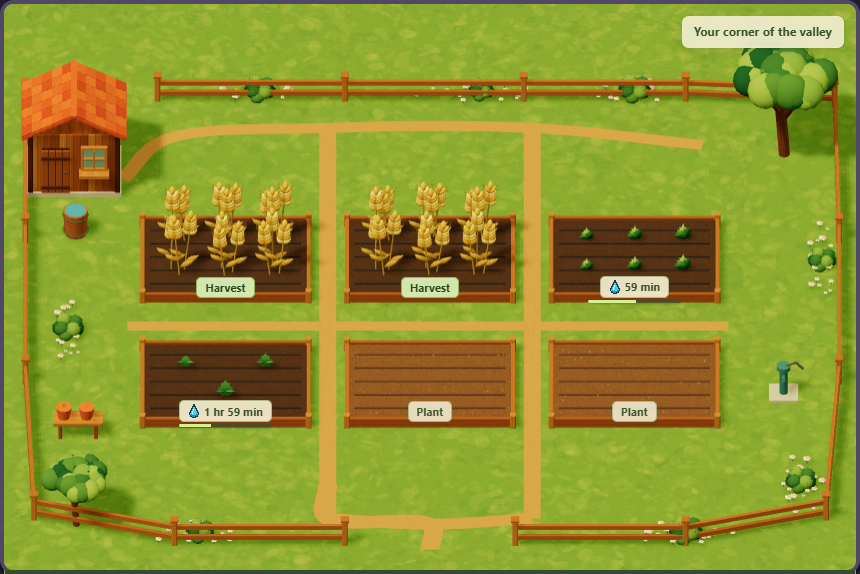
Actual gameplay · a starter-size field after some growing time
What is waiting on a new farm?
One field with six planting slots
Wheat, carrot and pumpkin seeds
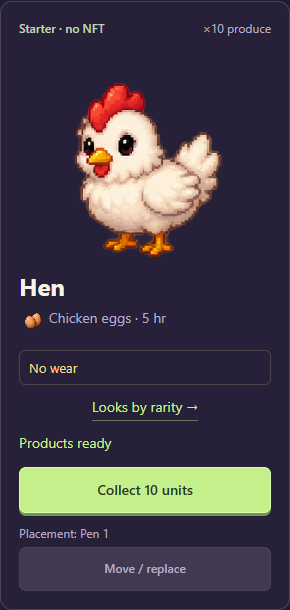
A starter hen with products ready to collect
50 game coins and 8 feed to get going
01 · KEEP ACCESS TO YOUR FARM
Sign in and link your wallet
Use an EVM wallet to sign in. If you have already started through email, link your wallet from your current account before signing out. This lets you return to the same farm on another device.
Email alone cannot restore access to the farm. The wallet guide explains linking, MetaMask and mobile sign-in.
Open My farm, choose wheat, carrot or pumpkin in the seed bar, then press Plant on an empty slot. One planting uses one seed.
Before watering and tool effects, wheat takes 5 hours, carrots 10 hours and pumpkins 15 hours. Follow the timer on each plot and harvest when it is ready.
Harvest goes straight into your feed balance. The slot becomes empty, ready for another seed. You do not need to sell a crop item first.
03 · YOUR FIRST FARM COMPANION
Collect the starter hen’s eggs, then feed her
Your starter hen already has products ready when the farm is created. Open Animals and collect them — you can do this while your first crops are still growing.
Select the hen and use the collection button on her card. You can also tap the product bubble above her.
Feed the hen to start the next cycle: 5 hours and 4 feed with the basic feeder. The animal card shows the current feed cost and production time.
When production is ready, collect again and repeat. Keep some feed for your next cycle.
Open the Barn and find the Animal products section. Check the displayed coin total, then press Sell all. This sells all accumulated animal products and adds game coins to your balance.
The Barn also sells seeds and lets you sell feed, materials and fish. Keep the supplies you need for the next farming cycle.
Start resource work manually in Resources. Each wood or stone action costs 6 coins; the base batch is 24 wood or 12 stone, with a 5-hour wait before the next action. The sawmill uses 24 wood and 6 coins for 18 boards with a base 5-hour interval. Better tools change the output and, for the sawmill, the interval. VIP does not start these actions for you.
A starter rod is already available. Buy bait with game coins, cast and hook when a fish bites. Hold Reel in to bring it closer and release to ease tension. You can keep the catch or sell it from Fishing or the Barn.
Save wood, stone, boards and game coins for expansion. The starting field grows from six to nine slots. Additional fields begin with three slots and can grow to six, then nine. The game shows the required resources before each upgrade.
Game coins are used to develop your farm. In Coins → FVT, Animal Pack buyers can exchange them at 1 coin = 10 FVT: 10,000–50,000 coins per request, with one successful withdrawal every 24 hours. Payouts come from a limited FVT pool and require an open exchange with sufficient reserve. A coin balance does not create an automatic entitlement to cash or tokens.
A confirmed paid Animal Pack purchase by your currently linked wallet qualifies, including earlier purchases paid in ETH. Tools, Supplies and VIP alone do not unlock exchange. Receiving or holding a gifted or transferred pack or NFT does not replace a purchase.